The “Create Card List” allows you to quickly categorize terms you want create review cards for – without pulling you away from content.
While saving terms, you can click the following “Study” button.

This will add the term to you Create Cards List.
To find your “Create Card List”, go to the Study Tab.

Then navigate to the “Add Vocabulary Card” widget.
(Note: a new design is planned. You can can see both versions below.)
Current Version:
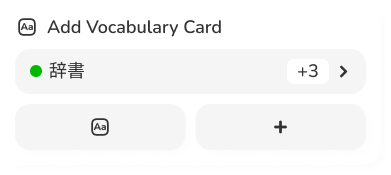
In the image, there is a number “+3”. This counts the terms left in your “Create Card List”.
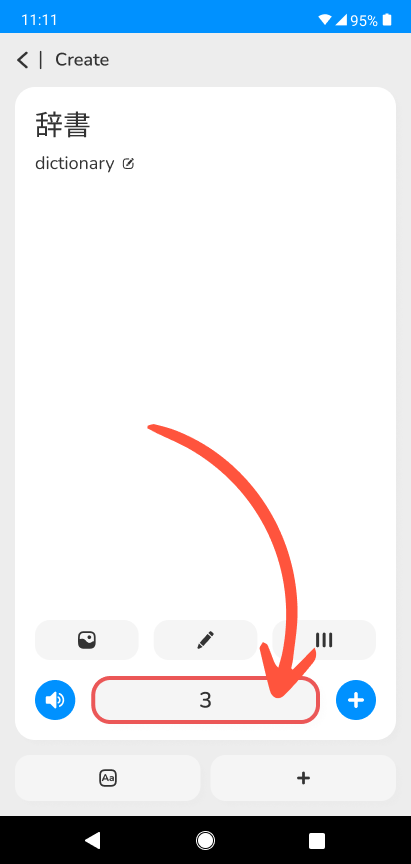
To view the list, open the card creator, then click on the button pointed out below. (This opens the list).
New Version:
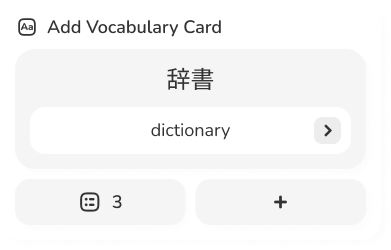
In the new version, this process will be simplified.
One of the navigation buttons on the widget will become a direct link to the “Create Card List” – marked by the following icon.

There are technically 2 lists:
- Add to Vocabulary List
- This is the process listed above.
- Add to Sentence List
- This list is for Vocabulary Cards you “Completed”. These terms get added to a list so you can move them into usable sentences.
Want to learn more about this process?
Here at Mezasu.com, we do flashcards a little differently. To find out how to get the most from your Review Cards, click the button below 👇